Print preparation
QR Code Not Scanning? A Checklist Before You Reprint
Work out whether the problem is the printed pattern, the link or the page it opens.
By GhostQR ·
First, identify what failed
Do not send a QR code back to print until you know which part failed. A phone recognising the pattern, showing a URL and opening a working page are three separate events. Changing artwork cannot repair a broken website, and changing a web page cannot sharpen a blurred print.
- No link appears: test the QR image itself. Start with contrast, clear space, size, focus, glare and physical damage.
- A link appears: read its hostname before opening it. If it is not the domain you expected, stop and find the correct source artwork.
- The correct link appears but fails: open that same URL directly in a browser. Investigate the website, redirect provider, certificate, safety warning or network before touching the print file.
Use the symptom to choose the next test
| Symptom | Likely layer | Next check |
|---|---|---|
| No camera prompt | Printed symbol or camera conditions | Test the original image, then change light, distance and angle |
| Prompt shows the expected URL | Decode succeeded | Open the URL directly and test on another network |
| Browser shows 404, 5xx or certificate error | Website or redirect service | Repair the page, hosting, domain or TLS configuration |
| Short-link service shows inactive or unsafe | Dynamic redirect | Check code status, destination safety and provider account |
| Works on Wi-Fi but not mobile data | Network, DNS or filtering | Try a second network and inspect the exact browser error |
If the camera cannot decode the code
Test the digital source on a screen first. If that also fails, regenerate the code from the intended URL. If the source scans but the physical copy does not, the print process or viewing conditions introduced the problem.
- Use dark modules on a light, plain background. DENSO WAVE’s colour guidance recommends black on white as the basic choice and warns that coloured codes need real testing.
- Preserve the quiet zone. It is the blank border around the symbol, and the QR standard requires it to be four modules wide on every side. Text, borders and background artwork must stay out of it.
- Look closely for soft edges, uneven squares, stretching, ink spread, folds and cropped corners. DENSO WAVE lists distorted modules and overlaid artwork among common causes of decoding trouble.
- Change angle and lighting. Glossy stock, transparent packaging and screens can reflect light across the pattern. Move the light or camera rather than assuming the code is dead.
- Try closer and farther positions so the camera can focus while keeping the whole quiet zone in frame. Apple’s scanning guidance is to position the full code in the camera frame and tap the detected link.
There is no honest universal minimum print size. Readability depends on the number of modules, printer resolution, viewing distance, surface and reader. DENSO WAVE recommends making the symbol as large as the available area allows and rendering each module with atleast four printer dots for stable operation. That is a production rule, not a promise that every phone will read every four-dot print.
If it decodes but the page does not work
Copy the URL shown by the camera and open it manually. Test it on Wi-Fi and mobile data. A working QR pattern can still lead to an unavailable server, deleted page, expired domain, certificate warning, blocked network or redirect loop. Record the exact URL and browser message because “the QR code is broken” hides the useful evidence.
For a static code, the encoded text cannot be edited after printing. If it points to a URL on a website you control, you may still rescue the print by restoring that exact path or adding a website redirect from it to the current page. You are changing how your server handles the URL, not changing the QR pattern. If you do not control the encoded domain, reprinting may be the only durable fix.
A dynamic code adds a managed redirect. Check whether its owner paused or archived it and whether its destination was rejected for safety. GhostQR sends paused, archived, unknown and safety-blocked codes to its inactive destination instead of forwarding them. A temporary GhostQR resolver outage returns a retryable 503. Unpaid GhostQR dynamic links have a 12-month grace period before they stop resolving; creating new dynamic codes requires an eligible paid plan. Paused, deleted or safety-blocked codes can stop sooner. For a live code you control, use the destination editing guide and then scan the existing print again. The QR code expiry guide explains these cases in more detail.
Run a physical proof before approving the job
Print or request a proof at the final physical dimensions, on the intended stock and with the intended finish. Do not rely on a zoomed PDF. Test the proof in the real setting: at the expected distance, under dim and bright light, at a slight angle, and through any window, laminate or packaging that will cover it. Use more than one current phone model where practical. Confirm both recognition and the final page after all redirects.
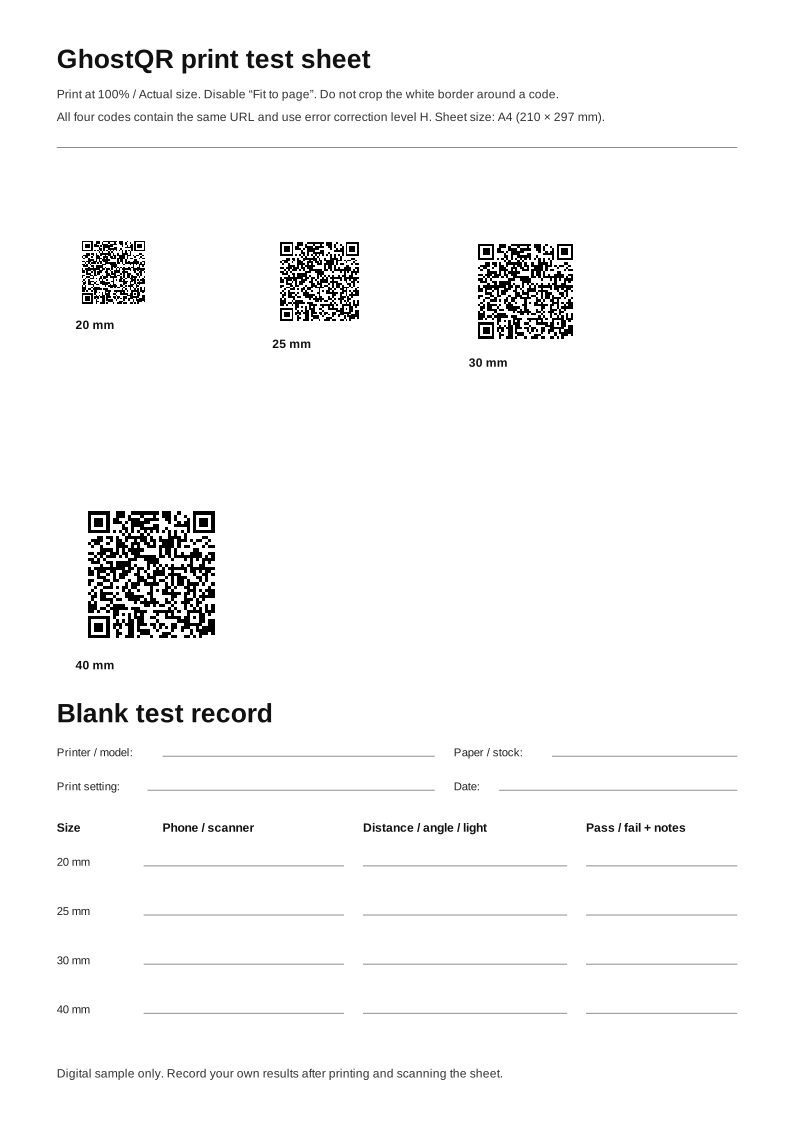
We have not tested your printer, paper, coating or phones, so this process is evidence you must collect from the production proof. The downloadable SVG print test sheet provides several sizes for comparison. Keep the smallest size that scans consistently in the real environment, then allow margin for ordinary variation in print quality and user distance.
Choose the replacement export only after diagnosis
If the source file was enlarged, softened or rasterised badly, replace it from a clean export. Use SVG when the printer or design workflow accepts vector artwork and may resize it. Use a high-resolution PNG when the workflow requires a raster image and the final size is known. Never stretch either format out of square, crop its quiet zone or apply image smoothing that blurs module edges.
The PNG versus SVG print guide explains the tradeoffs. You can also download its matching PNG sample and SVG sample to check whether your workflow changes the same QR matrix. When you need a fresh code, create it with the free GhostQR generator, verify the encoded URL, and repeat the physical proof before ordering the full run.